
Within the JotUrl dashboard, users can create up to 15 conversion extended (custom) parameters. These parameters (from ep00 to ep14) are recorded and can subsequently be used to filter conversions (both, within the Dashboard and via API).
We currently support the following 3 ways to use/pass these extended parameters.
1. Passing extended parameters via conversion code/conversion pixel
Our conversion code snippet is something like this (if you're not a developer, give a quick read to this first part, then go ahead to learn how to setup extended parameters using our integrated builder)
<script type='text/javascript'>
 var joturl_conversion_id = '<CONVERSION_ID>';
 var joturl_conversion_value = '0';
 var joturl_conversion_commission = '0';
 var joturl_conversion_param = '';
 var joturl_domain_value = 'www.joturl.com';
</script>
<script type='text/javascript' src='https://localhost.joturl.com/js/conversion.js?<CONVERSION_ID>'></script>
While our conversion pixel is similar to
<img height='0' width='0' alt='' src='https://localhost.joturl.com/c/?id=<CONVERSION_ID>&val=0&comm=0¶m='/>
To pass the extended parameters with the conversion code you need to change it, for example, in this:
<script type='text/javascript'>
 var joturl_conversion_id = '<CONVERSION_ID>';
 var joturl_conversion_value = '0';
 var joturl_conversion_commission = '0';
 var joturl_conversion_param = '';
 var joturl_domain_value = 'www.joturl.com';
 var joturl_conversion_ext_parameters=[];
 joturl_conversion_ext_parameters[0]='abc';
 joturl_conversion_ext_parameters[5]='test';
 joturl_conversion_ext_parameters[10]='joturl';
</script>
<script type='text/javascript' src='https://localhost.joturl.com/js/conversion.js?<CONVERSION_ID>'></script>
In this example we have defined 3 extended parameters ep00=abc, ep05=test and ep10=joturl.
In a similar way the conversion pixel becomes:
<img height='0' width='0' alt='' src='https://localhost.joturl.com/c/?id=713137536e38712b30782b78497a72743137426a4b413d3d&val=0&comm=0¶m=&ep00=abc&ep05=test&ep10=joturl'/>
note that in the case of the pixel, we added the parameters ep00, ep05 and ep10 to the URL parameters of the pixel image.
>> Fortunately these operations are simplified by our builder! You can find it in the conversions section of the Dashboard. Navigate to https://www.joturl.com/reserved/conversions.html and click on the "edit" icon next to the conversion of your interest.
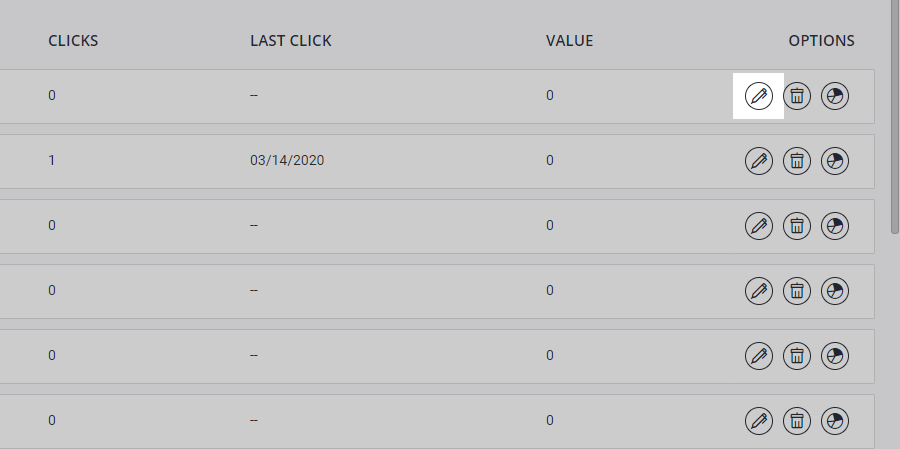
A conversion configuration window will appear that also contains the builder.

Fill in the extended parameters and the conversion code/pixel will be changed accordingly. Note that the builder does not store the entered parameters, its purpose is to simplify the creation of the conversion code/pixel.
2. Passing extended parameters via the tracking link
You can pass the extended parameters directly in the tracking link, as URL parameters, in a similar way to the tracking link case. So assuming that your tracking link is my.domain.to/alias and that you want to pass the parameters ep01=p1, ep08=test, ep14=joturl you have to use the following tracking link:
my.domain.to/alias?ep01=p1&ep08=en&ep14=joturl
and publish it on your source (e.g., Facebook).
3. Passing extended parameters via the destination URL of your tracking link
Let's assume, for example, that your tracking link my.domain.to/alias points to the destination URL my.landing.page/offer?a=313313. You can pass the extended parameters by changing the destination URL in this
my.landing.page/offer?a=313313&ju_ep01=p1&ju_ep08=en&ju_ep14=joturl
in this case the extended parameters must be passed using the prefix ju_ and this to avoid ambiguity with other parameters possibly already present in the destination URL. In this mode, the extended parameters will be stored and passed to the conversion (if it is fired), but they will be removed from the destination URL, in other words the tracking link will redirect to
my.landing.page/offer?a=313313
in this way the extended parameters are invisible to your users.
Final note: given the above described 3 ways JotUrl offers to use/pass extended parameters, one thing that is worth to be noted, is that with modes 2 and 3 (via tracking link and via destination URL), the value of parameter ep00 is stored and passed to conversion by using cookies. While with mode 1 (via conversion code) the parameter is passed directly to the conversion.
Comments
0 comments
Article is closed for comments.