
You can make your CTA expire after X hours from the first visit of your user, or after X times that your user visits it.
Upon expiration, the CTA is not displayed and, if defined, the tracking link is redirected to a specific URL.
To do this:
- create/edit your CTA, then go to the last step of the creation/modification wizard and click on advanced options
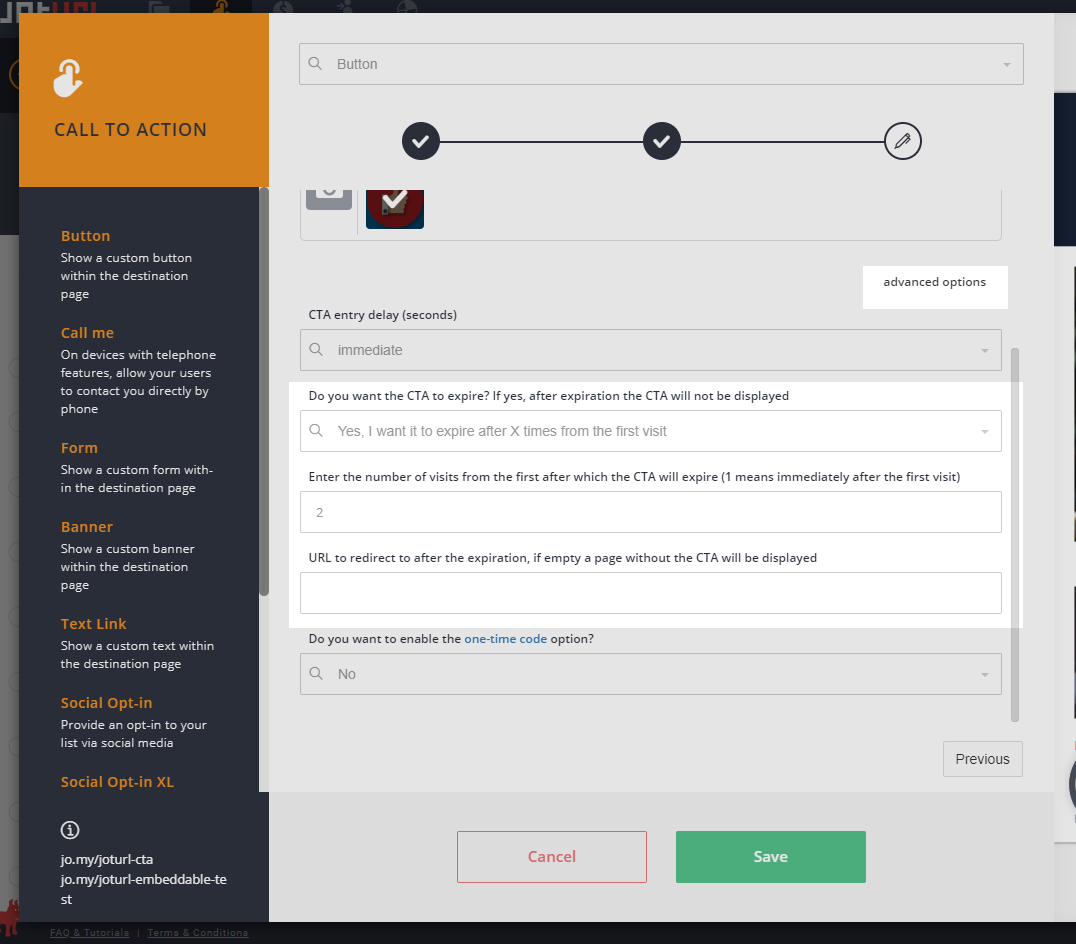
- select one of the rules from "Do you want the CTA to expire? If yes, after expiration the CTA will not be displayed", choose "Yes, I want it to expire after X hours from the first visit" if you want the CTA to expire after X hours from the first visit, choose "Yes, I want it to expire after X times from the first visit" if you want the CTA to expire after X times from the first visit (1 means immediately after the first visit)
- optionally enter the "URL to redirect to after the expiration", if not specified, no CTA will be displayed.
Need more information?
Please refer to this video tutorial for more details about CTAs -> http://jo.my/joturl-cta, or submit a ticket on our Help Center directly from your dashboard.
Comments
0 comments
Article is closed for comments.