
In this example, we want to analyze the scenario where every time you create a new post on your blog, you need to take its link and automatically create a tracking link from it.
While you can do this in so many ways, we want to do this by using our Zapier integration.
What is Zapier?
Zapier is a way to connect different apps and exchange data with each other. That way, when something happens in one app, you can make something else happen within another.
There are a couple of main reasons why you might want to use JotUrl to shorten your URLs. One is to make long, unsightly links easier to manage, another is to be able to get click stats on that link.
Create tracking links with JotUrl's Zapier integration
Enter Zapier, click Make a Zap (on the left) and select your trigger app. Zapier integrates with popular blogging tools like WordPress and Webflow, but you can also link an RSS feed like in this example. Once you've selected a trigger, you'll need to configure it, in this case by providing the URL of the RSS feed.
In the search box, enter RSS and click on RSS by Zapier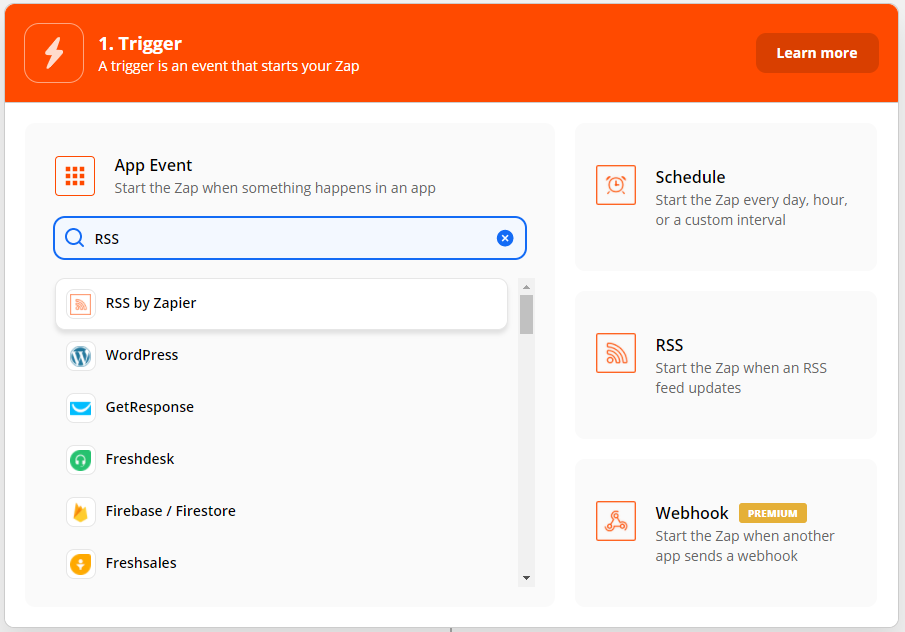
Select New item in feed in Trigger Event and click on Continue
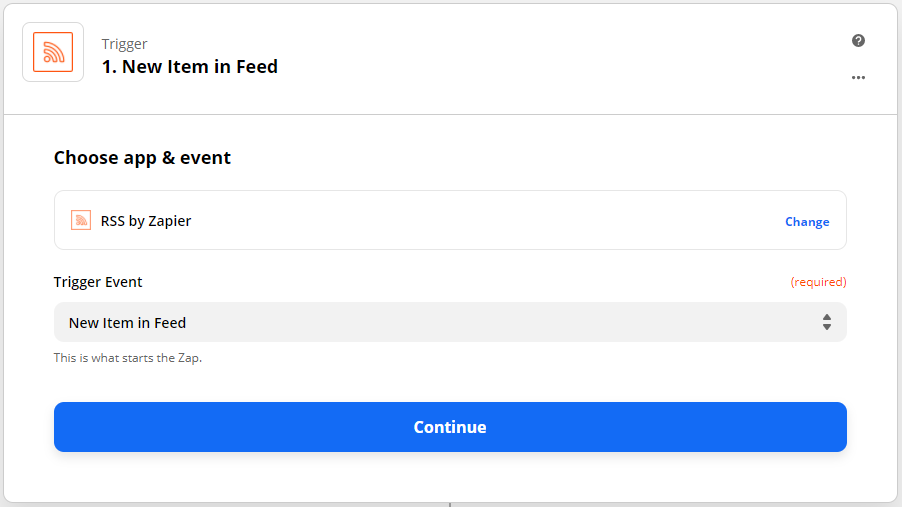
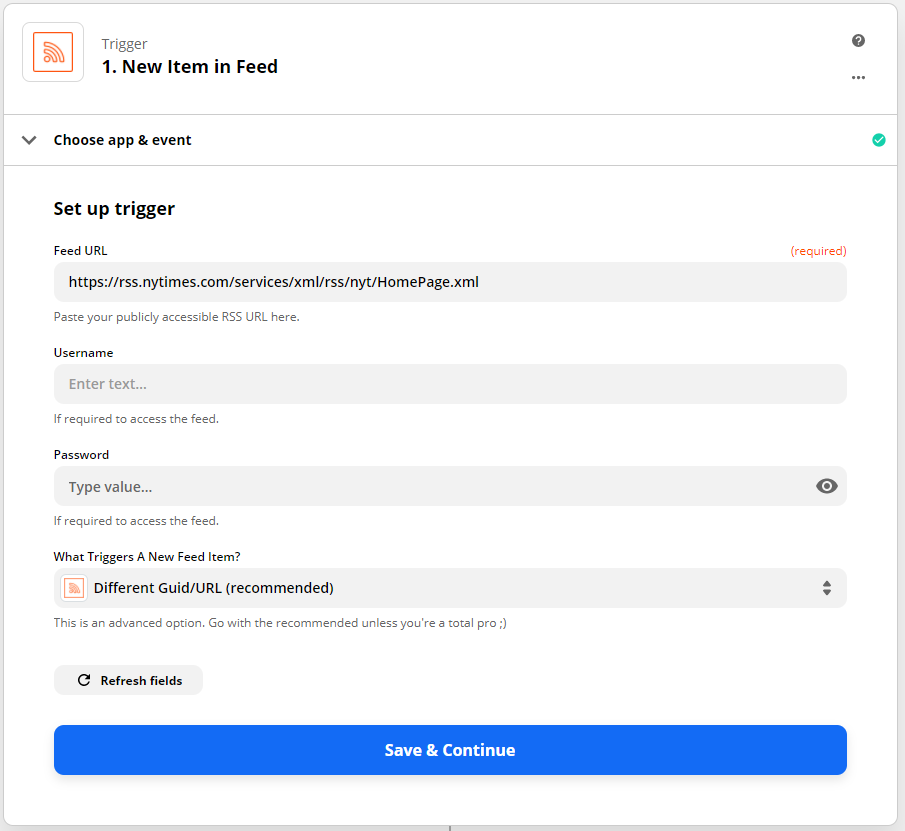
Configure the RSS feed, in this case we are using only the RSS feed URL, click on Save & Continue
Click on Test trigger and you should see your most recent post
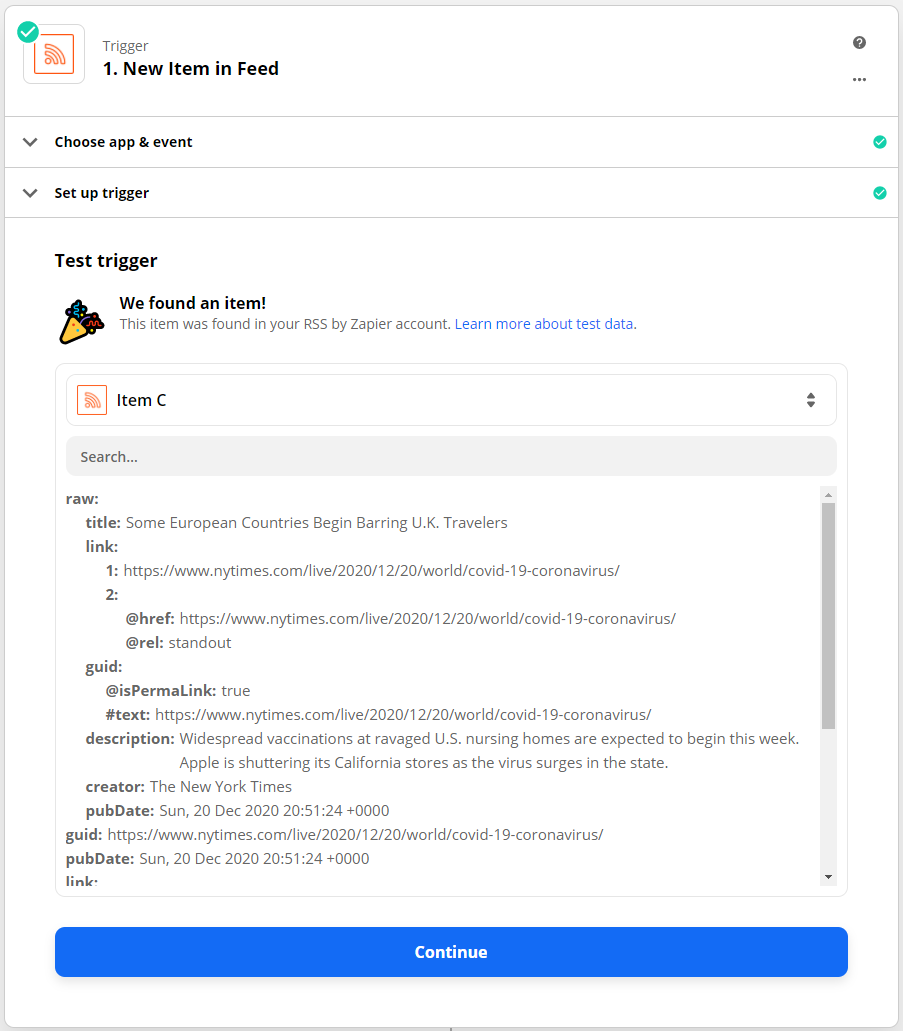
Click on Continue, we have just configured the Trigger, now we will configure the Action.
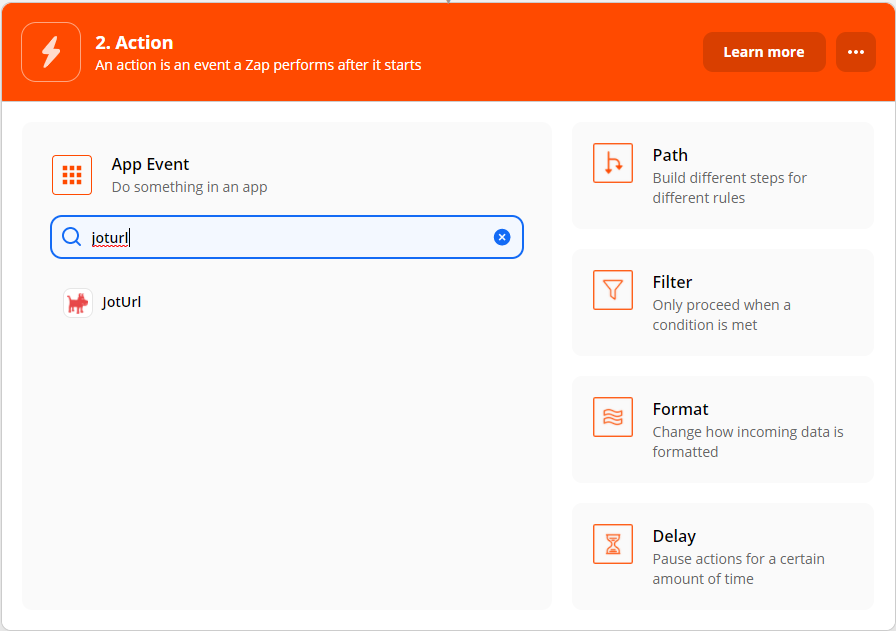
In the search box, enter joturl and click on JotUrl
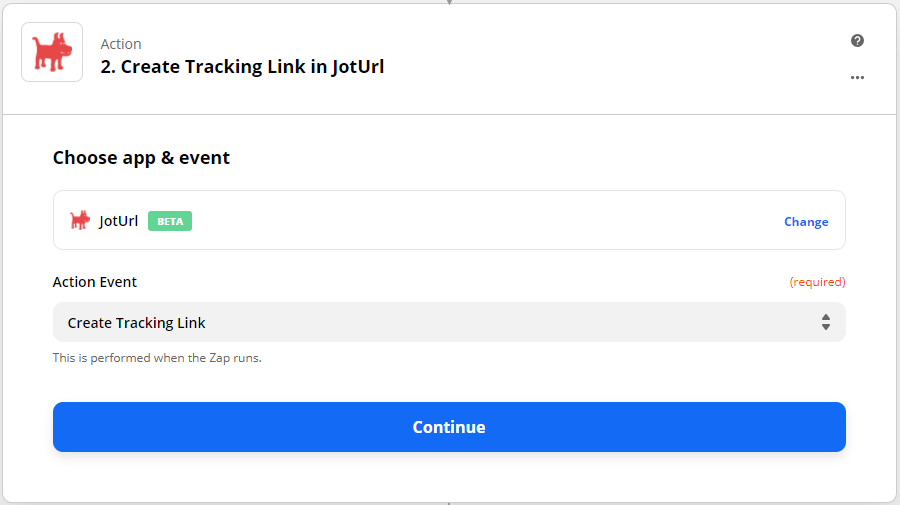
Select Create Tracking Link in Action Event and click on Continue
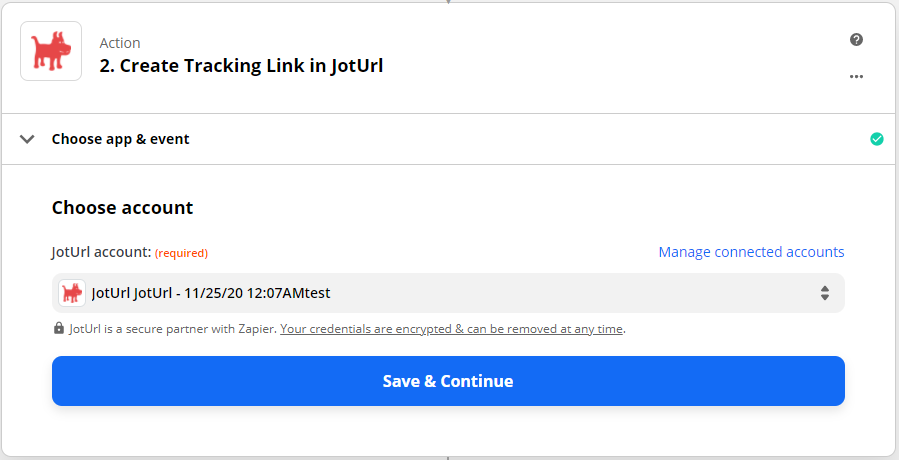
Chose a JotUrl account or connect a new JotUrl account, click on Save & Continue
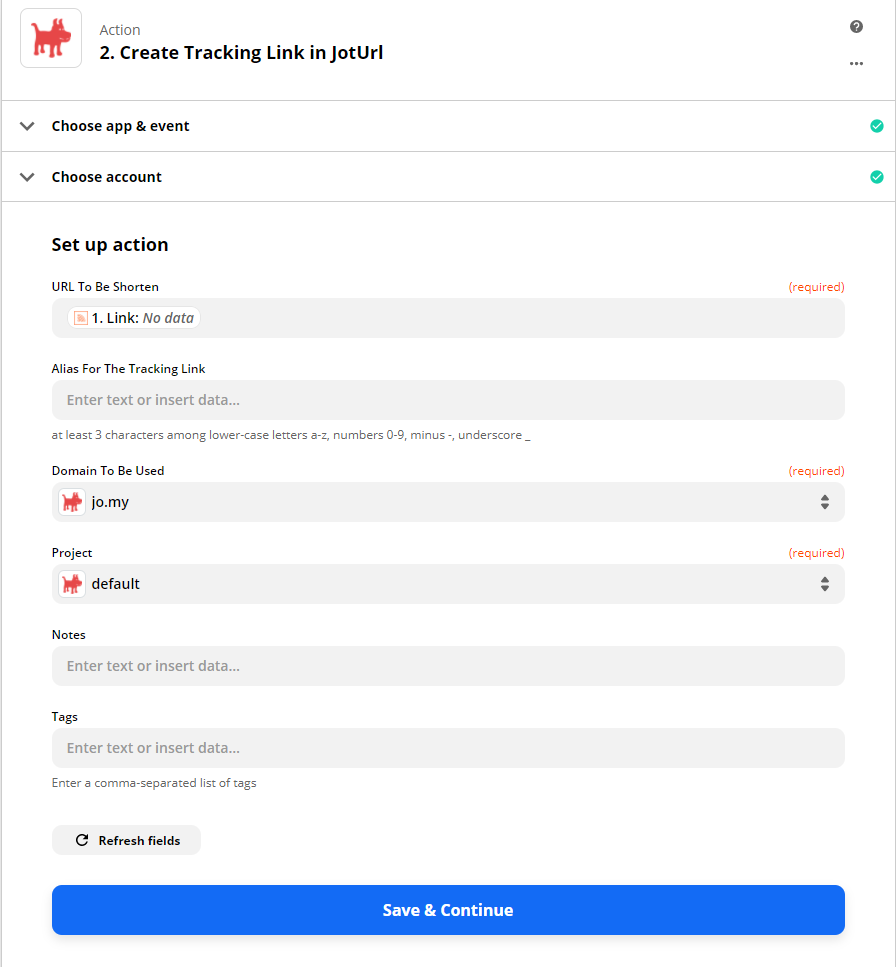
On the next form, you have a few options, three of them are required:
- URL To Be Shorten: select 1. Link
- Domain To Be Used: select the desired JotUrl domain (e.g., jo.my)
- Project: select the desired JotUrl project (e.g., default)
Click on Save & Continue
Check the data shown in the window and click Test & Continue
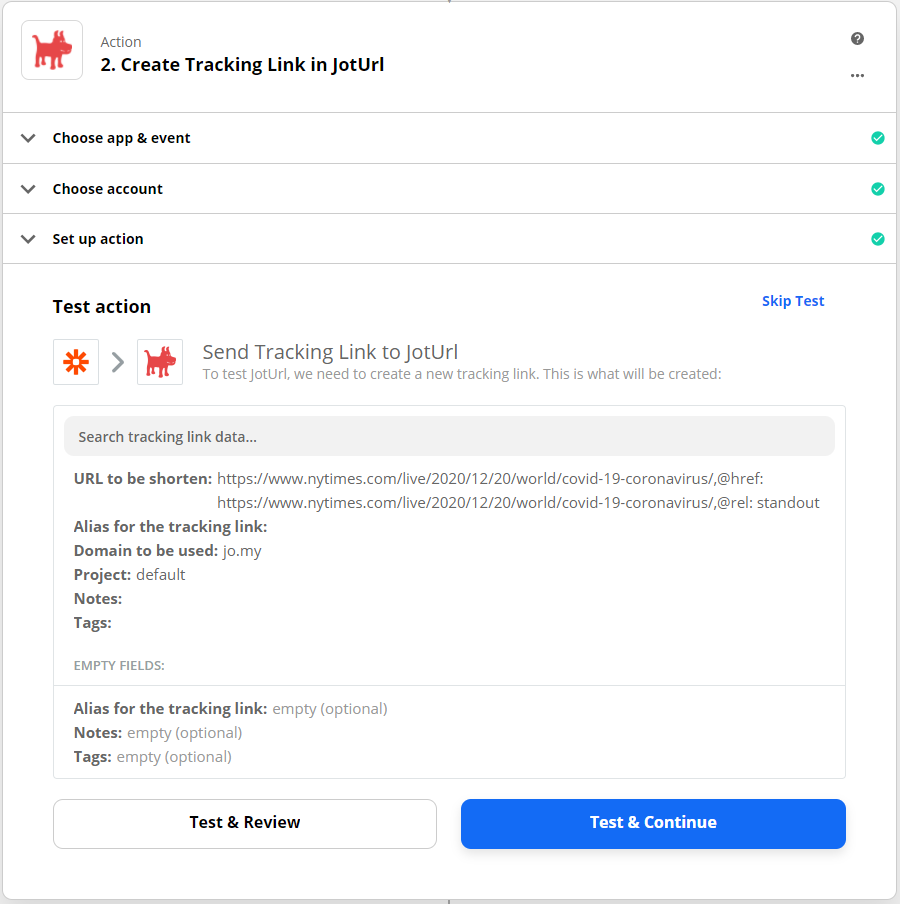
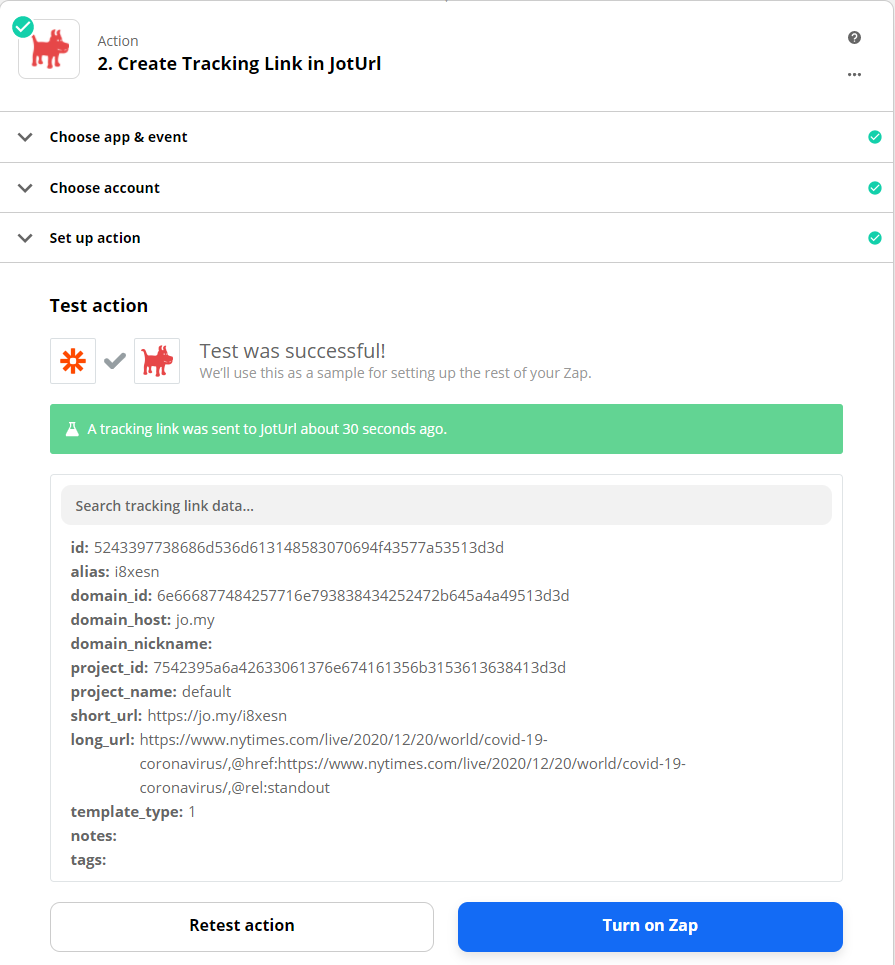
After the test you should see something like this, click on Turn on Zap to activate the Zap.
Comments
0 comments
Article is closed for comments.