
As a premise, please note that you should always use your tracking links with HTTPS (when available).
Furthermore you should always keep or type the HTTPS at the beginning of the link (e.g. https://yourbrand.link/youralias).
The main reason for it is that, if you put your tracking links with HTTP on HTTPS pages, you will lose all information on the traffic source.
In fact, in these cases (HTTP links on HTTPS pages), modern browsers do not transmit any source information to the destination.
In the very rare cases in which your users transcribe the tracking link by hand, then the HTTP to HTTPS redirection system (which can be manually be activated/deactivated) provided within JotUrl, would intervene to guarantee no issue if the tracking link is associated to an option that has an embedded page (e.g., CTA or masking).
However, also in the latter case, you will loose every information on the source, since the user has transcribed the tracking link by hand and you actually have no source.
It must be emphasized that our system can in no way intervene on the source, but can only redirect from http to https when the user arrives on our servers, but at that point all information on the source has been lost.
Finally, please note that our system will count a specific event every 5 redirections from HTTP to HTTPS. This is done probabilistically (this means that for a large number of redirections the average recorded events will be the 20% of all redirections from HTTP to HTTPS). These events will affect your monthly events.
But keep in mind that the number of HTTP to HTTPS redirections must be kept low, for the above reasons. So at the end of the count there will be few events of this type on the total.
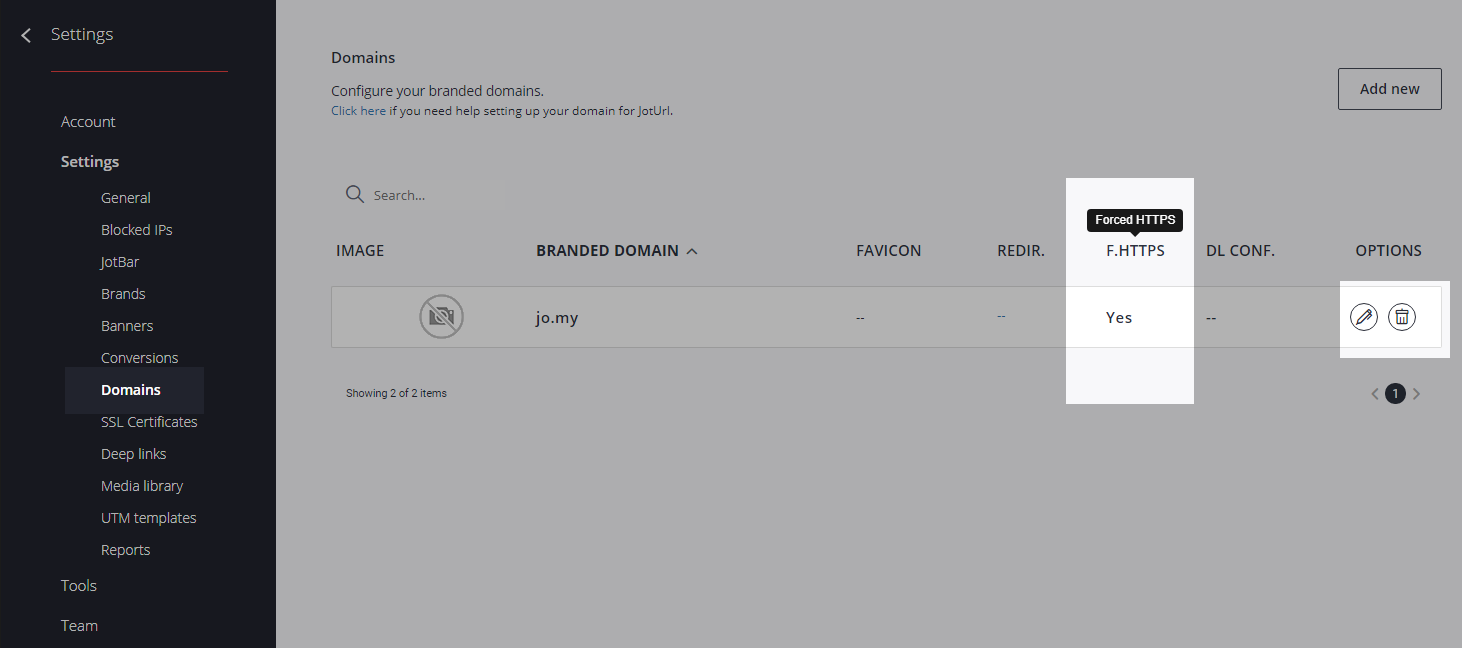
To activate (deactivate) the forced HTTPS redirect, for each of your branded domains within the dashboard, go to your account --> Settings --> Domains, click on the edit icon on the right and flag the "Force an HTTPS connection for this domain [...]" option:
Still not have a custom branded domain?
Read how to add one in JotUrl at https://joturl.zendesk.com/hc/en-us/articles/360025031851-Can-I-use-my-own-custom-domain-for-my-links-How-can-I-add-and-configure-a-custom-branded-domain-within-JotUrl-
Need an SSL digital certificate for your custom branded domain?
Within the dashboard go to your account --> Settings --> SSL certificates and click on the "Get a free certificate" button.
You will be automatically guided by our built-in wizard and get a free SSL certificate, provided by Letsencrypt.
For further information and questions, please open a ticket on our Help Center, directly within your JotUrl dashboard or on our Website.
Comments
0 comments
Article is closed for comments.