We’re talking about the ability to customize the appearance, namely the Open Graph (OG) tags (title, description, image) of your tracking links.
This practice is often used, for instance, to customize your social media links (e.g. the appearance of a shared post on a social network).
In fact editing the title, the description and the image of your tracking links can help to make your links more "shiny" and boost your CTR.
Furthermore there are cases where customizing the appearance of your tracking links becomes recommendable. For instance, let's suppose you have a Blog and you've written a great blog post. Most likely you've plopped an amazing featured image in there to represent the post on social media and your blog's main page, in the best way.
Then, you hop on your social media accounts and paste the link into a new post. You're 100% ready to share it with your audience, but there's just one issue. Unfortunately, the social networks are pulling the wrong thumbnail image. Or even worse, they're pulling none at all!
Not only is this annoying, but a bad thumbnail image (or no thumbnail image) could seriously hurt your post's performance on social media. In fact it is well known that images are definitely a key play for garnering engagement on your social channels, and no doubt metrics show that they help generate more likes, shares, and comments. For instance, tweets that present an image finally result in 150% more retweets. But that image needs to be the right image (not a cut-off picture of your call-to-action button... and above all not some other image randomly pulled from the page).
So, how do you ensure each of your social networks pulls in the image you actually want it to?
The answer lies with the Open Graph Protocol.
In fact today, Facebook, Twitter and LinkedIn all use the Open Graph Protocol to help publishers include more content on the front of their social media posts.
When you share a website or any other content on Facebook, LinkedIn or Twitter, you will notice each of these social networks automatically pulls in a few pieces of information into your social post, namely: the website's title, an image, and a short description (the Open Graph Tags). This is made possible using each social network's Open Graph protocol.
JotUrl supports the Open Graph protocol and also provides an option to customize the OG Tags (title, description, image) of each of your tracking links.
👨🎓But, for clarity, we must first shed some light and distinguish 2 cases.
1. You are the owner/manager of the page and you can modify it
In this scenario you can practically do what you want, by changing the OG tags directly and this is clearly not forbidden in any way, rather it is the method suggested by Facebook (even if you should not present your link in a way which is totally different from the effective content of the page you’re redirecting users to).
2. You are not the owner/manager of the page and you cannot edit it
it is clear that the purpose of Facebook is to give a preview as close as possible to the content of the page. From the same page it is also evident that Facebook considers the modification of link previews the main cause of the disclosure of fake news and for this reason Facebook disabled the possibility to alter link previews.
Furthermore, the main technique used to
deceive the Facebook crawler is something that can be considered
cloaking, which is
forbidden by Facebook.
Please note also that JotUrl allows you to create and customize mini (responsive) pages, where you can also customize the main OG parameters. This feature is 100% allowed since mini pages are basically custom landing pages. The mini page option is available within the tracking link options.
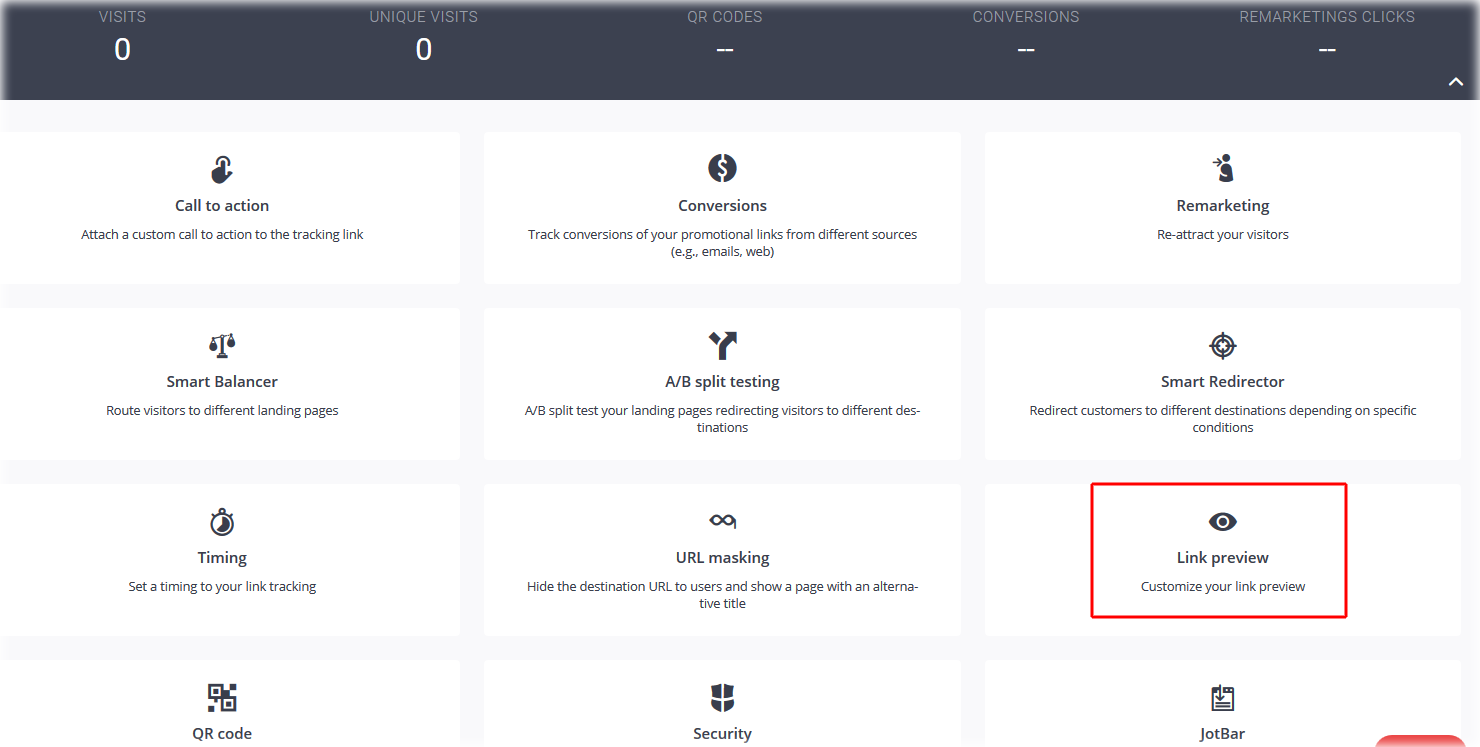
However, if you still need to customize the appearance (OG tags) of a tracking link, provided it is created by using a custom branded domain, go to its options page (by clicking on the tracking link itself) and click on "Link preview" (see picture below).
Then go on customizing the title, the image and the description of the branded tracking link, by filling the corresponding fields and choosing a suitable image.
If you've further questions or still need support, don't hesitate to contact us by opening a ticket on our Help Center. We will be happy to assist you!

Comments
0 comments
Article is closed for comments.